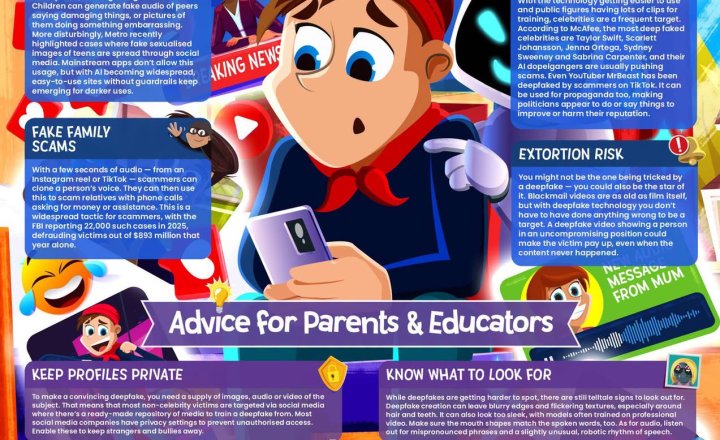
Online Safety: Deepfakes
Deepfakes can make it appear that someone has said or done something they haven’t, using AI to create increasingly convincing fake images, videos and audio. As this technology becomes easier to access, children and young people may encounter risks ranging from online bullying and impersonation to scams and fabricated explicit content. Our latest #WakeUpWednesday guide explores: • AI-enabled bullying • Cloned voices and fake family scams • Bogus celebrity endorsements • Fabricated images and videos • Extortion and digital blackmail It also offers practical advice for parents and educators on recognising warning signs, protecting personal information and talking to young people about responsible AI use. Read the guide here: https://vist.ly/5pady #Safeguarding #OnlineSafety #Deepfakes #ArtificialIntelligence
.jpeg)
Online Safety: AI Companions
AI companions are becoming increasingly popular with young people, offering conversations with virtual characters designed to feel like genuine friends. Platforms such as Character.AI, Replika and Snapchat My AI can provide entertainment and creativity, but their human-like interactions can also create important risks. Our latest #WakeUpWednesday guide explores: • Emotional dependency • Harmful or unreliable mental health advice • Oversharing personal information • Inappropriate or explicit content • Distorted expectations around real-world relationships • Subscription and in-app spending pressures The guide also offers practical advice on discussing AI friendships, checking privacy settings and age limits, encouraging offline relationships and reminding young people where to seek genuine support. Access the guide: https://vist.ly/5nb8j #Safeguarding #OnlineSafety #ArtificialIntelligence
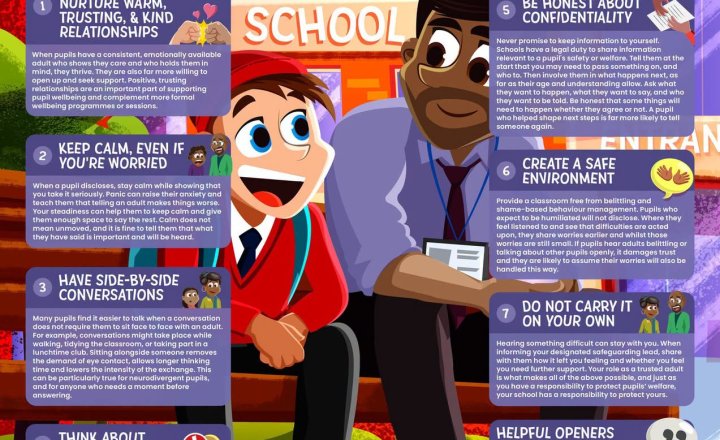
Online Safety: Pupil Wellbeing Conversations
Talking to a pupil about their wellbeing can feel daunting, particularly when you are unsure what to say or worried about hearing something concerning. Our latest #WakeUpWednesday guide reminds educators that they do not need to be specialists to provide meaningful support. The guide explores: • Building warm, trusting relationships • Choosing a safe and appropriate place to talk • Using side-by-side conversations to reduce pressure • Staying calm when a pupil shares a concern • Being clear and honest about confidentiality • Knowing when to involve safeguarding colleagues or seek support yourself It also includes practical conversation starters to help staff open discussions gently and give pupils space to talk when they are ready. Read the guide here: https://vist.ly/5mbvi #Education #PupilWellbeing #Safeguarding #MentalHealth
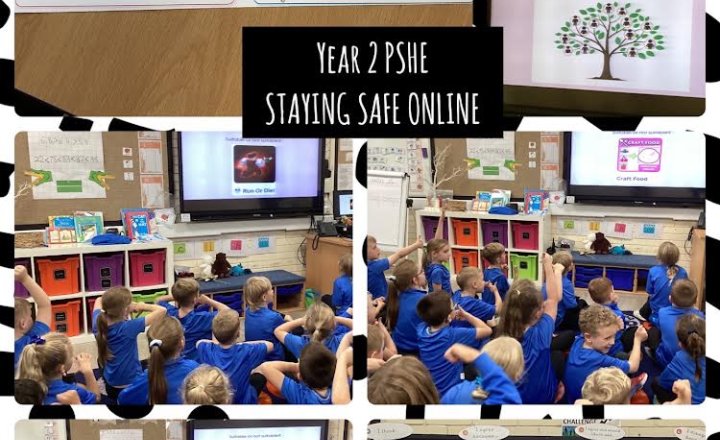
Year 2 PSHE: Keeping Safe Online
Year 2 started by discussing what online means. We thought about computers, iPads, phones and the internet. The children shared that they use the internet for playing games, listening to music, watching Youtube, learning and researching. All of the children play games online. Some online games can be fun, creative and logical such as Minecraft or designing games. However, some games can be scary, violent, have bad language or have an online chat feature. We looked through different games on Roblox to decide if they were suitable or not. After this, we thought of some extra ways to keep private and safe online, such as not sharing our personal information (names, ages, address, school).
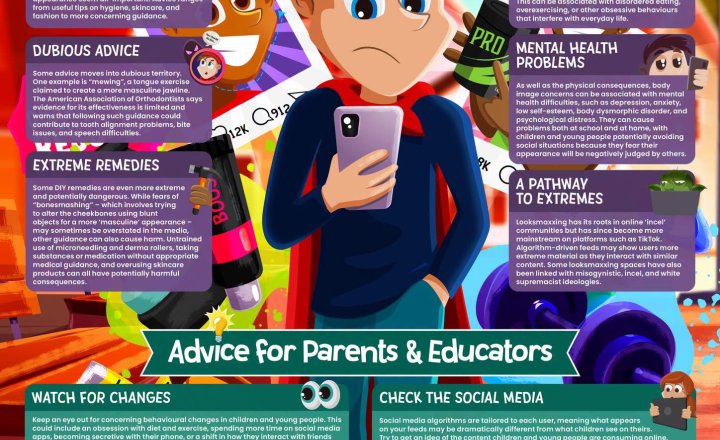
Online Safety: Looksmaxxing
Looksmaxxing is an online trend focused on improving physical appearance, particularly among boys and young men. While some content centres on grooming, skincare, diet and exercise, other parts of the trend can promote questionable advice, extreme practices and unrealistic expectations. Our latest #WakeUpWednesday guide explores key concerns, including: • Pressure around male appearance and body image • Misleading or potentially dangerous advice • Obsessive behaviours and declining self-worth • Mental health concerns • Exposure to increasingly extreme online communities It also shares practical advice for parents and educators on recognising looksmaxxing terminology, noticing changes in behaviour and starting supportive conversations about appearance, influencers and online expectations. Read the guide here: https://vist.ly/5ke3u Our latest #WakeUpWednesday guide supports parents, carers and educators in understanding the trend and recognising when appearance-focused content may be becoming harmful. The guide explores: • The targeting of male insecurities and body image concerns • Misleading advice and extreme appearance-focused practices • Links to obsessive behaviours and mental health difficulties • How increasingly extreme online communities can influence young people • Warning signs, terminology and changes in behaviour to look out for With clear, practical advice, the resource helps adults open supportive conversations about appearance, influencers and unrealistic expectations. Access the guide: https://vist.ly/5ke3u #Safeguarding #OnlineSafety #BodyImage #DigitalWellbeing
.jpeg)
Online Safety: Discord
Discord gives young people a space to chat, play games and join communities based around shared interests. While it can be a positive way to connect with friends, there are also important risks for parents and educators to understand. Our latest #WakeUpWednesday guide highlights: • Contact with strangers • Harassment and harmful behaviour • Exposure to inappropriate content • Gaming and socialising becoming a distraction • Spending and subscription risks It also shares practical advice on using Discord’s Family Centre, reviewing privacy and spending settings, talking openly about suspicious behaviour and agreeing clear expectations around screen time. Read the guide here: https://vist.ly/5jh5f #Safeguarding #OnlineSafety #DigitalWellbeing #Education
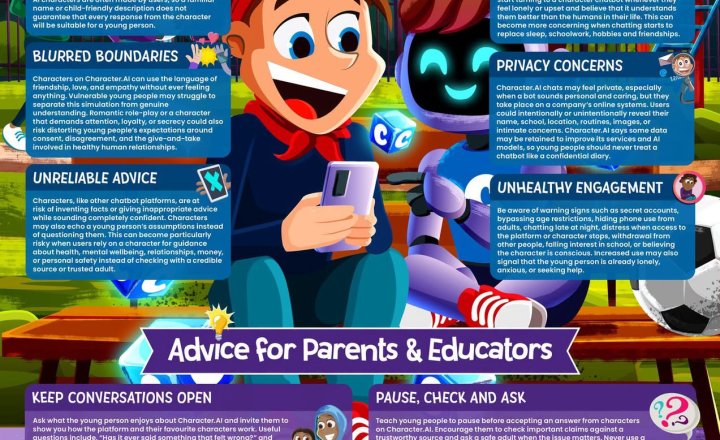
Online Safety: Character AI
Character.AI enables users to create and interact with AI-powered characters that can behave like friends, mentors, fictional characters or romantic partners. While these tools can feel engaging and emotionally supportive, they also introduce important safeguarding, wellbeing and privacy considerations for children and young people. Our latest #WakeUpWednesday guide supports parents, carers and educators in understanding the risks and opening constructive conversations around AI companionship. The guide explores: • Inappropriate content and unreliable advice • Emotional dependency and blurred boundaries • Privacy concerns linked to personal information • Warning signs such as secretive or excessive use • Withdrawal from real-world activities and relationships • Practical steps around age settings, limits and reporting concerns With clear, accessible guidance, this resource helps adults support safer, more balanced and informed use of AI character platforms. Access the guide here: https://vist.ly/5hs5g #Safeguarding #OnlineSafety #ArtificialIntelligence
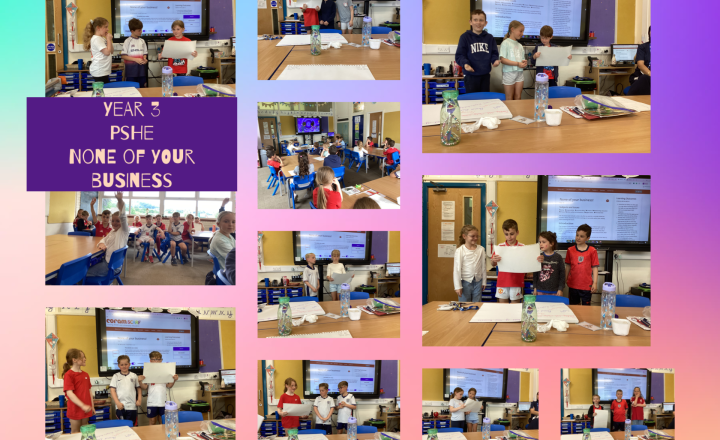
Year 3- PSHE- Online Safety Lesson: "None of your business!"
This afternoon, our Year 3 class looked at a lesson titled "None of your business!" which focused on internet safety, privacy, and personal data. The children started with a fun "Guess Who?" game about celebrities to explore how we share information. They then watched an educational film clip called Lee and Kim by CEOP, which taught them about the potential dangers of sharing private details online with strangers. Through Super Sid’s top tips, the children learnt to recognise the "uh-oh" feeling (butterflies in the tummy) when something doesn't feel right and understood that they should always tell a trusted adult. We also discussed the concept of a "digital tattoo" to emphasise that once information or photos are posted on the internet, they are almost impossible to remove permanently. The class did a fantastic job learning how to keep themselves safe, private, and respectful online.
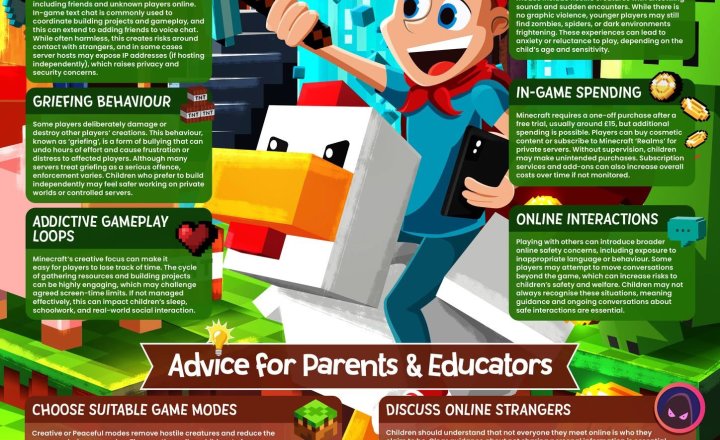
Online Safety: Minecraft
Minecraft continues to be a highly popular platform for children, combining creativity, problem-solving and social interaction. While the game can offer positive opportunities for learning and play, features such as public servers, multiplayer modes and in-game communication can create safeguarding challenges. Our latest guide supports educators and parents in understanding these risks and helping children play more safely. The guide explores: • Public server communication and contact with unknown players • Griefing, disruptive behaviour and online conflict • In-game spending and subscription costs • Addictive gameplay loops and balanced screen time • Safer settings, private servers and suitable game modes With clear, practical advice, the guide helps adults set boundaries, encourage safer choices and support responsible Minecraft use. Access the guide: https://vist.ly/54tfx #Safeguarding #OnlineSafety #Minecraft
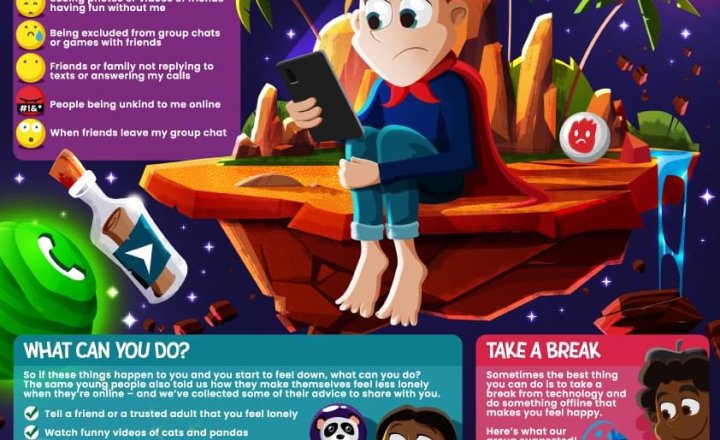
Year 5 - Online Safety
Year 5 discussed the ways in which it’s possible to feel lonely while online and how they can overcome these feelings. Loneliness can occur when people are unkind to you, don’t reply to messages or leave group chats. We talked about how going offline to talk to friends and family can be helpful as well as entertaining yourself by watching funny videos or listening to happy music.
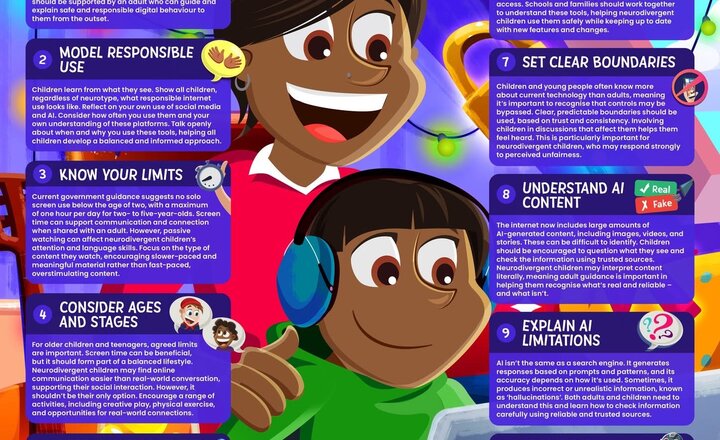
Help Neurodivergent Children Tackle the Online World
Neurodivergent children are often early adopters of technology, making supported online experiences especially important. Our latest #WakeUpWednesday guide helps parents and educators understand how to create safe, positive digital environments. It explores key considerations, including: • Modelling responsible online behaviour • Setting age-appropriate boundaries • Encouraging open and supportive conversations • Understanding emerging risks such as AI-generated content The guide also highlights the importance of balancing screen time with offline activities to support wellbeing and development. Download the guide here: https://vist.ly/536kq #Education #Safeguarding #OnlineSafety #Neurodiversity
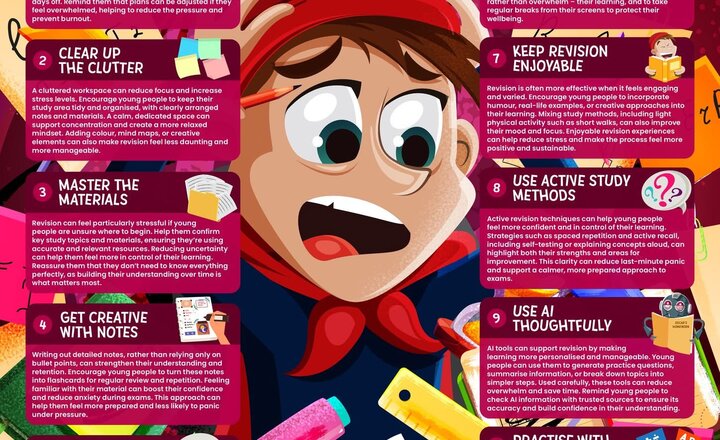
Online Safety: Managing Exam Stress
Exam periods can place significant pressure on young people, affecting their confidence, focus and overall wellbeing. Our latest #WakeUpWednesday guide explores realistic and supportive strategies to help manage this pressure. It highlights practical approaches, including: • Organising workload and reducing overwhelm • Using active and creative revision techniques • Creating calm, focused study environments • Using technology, including AI, in a thoughtful way The guide also emphasises the importance of maintaining balance, motivation and positive wellbeing during exam preparation. Download the guide here:https://vist.ly/428mn #Education #Wellbeing #Safeguarding #TeachingAndLearning #WakeUpWednesday
.png)